
OsaSync PRO7.0.3 - Download
You'll be able to download in few seconds.
Publisher Description
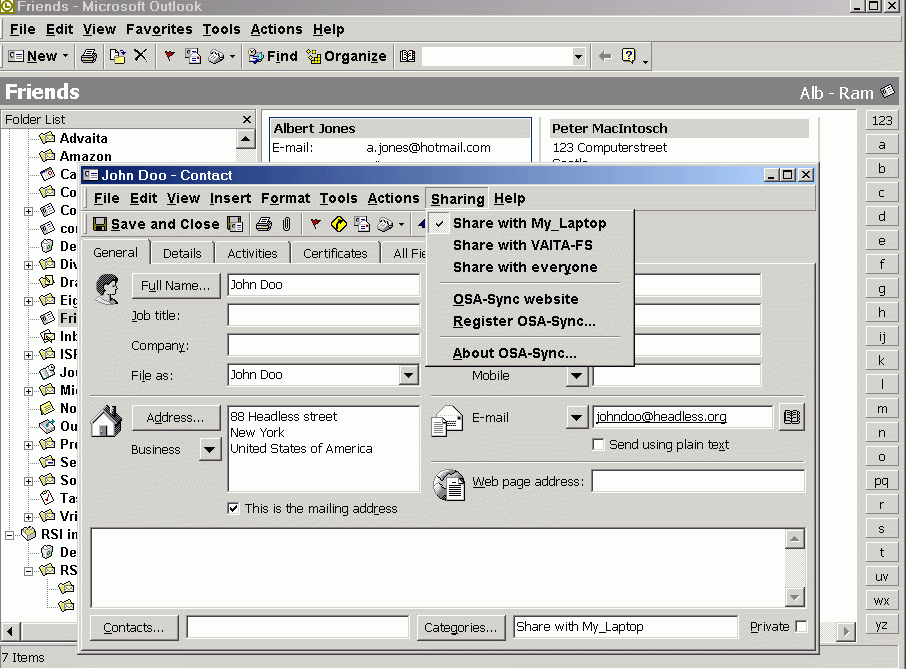
With OsaSync PRO you can share and/or synchronize Microsoft Outlook contacts, appointments, tasks, notes, journal and e-mails via LAN, VPN or FTP. Use OsaSync when you want to:
a) Synchronize your Outlook folders on your laptop with your desktop (also when you are travelling).
b) Collaboratie with others. Save your customers in a COMMON CONTACTS FOLDER; keep track of everybody's schedule in a COMMON CALENDAR or have e-mails send and/or received accessible by everyone.
c) Have your secretary maintain your calendar on her computer.
d) Synchronize Outlook with computers from an affiliate.
OsaSync PRO makes it possible to synchronize items without the need for complex programs like exchange server, sharepoint portal server or netfolders. Every change is automatically and almost in realtime reflected in the item on the other computer(s). Just connecting your computer to the network (for instance in case of a laptop) and starting Outlook is enough to have OsaSync PRO process all the changes.
OsaSync PRO is very easy to install and configure, the OsaSync PRO connection wizard will guide you through the configuration steps. OsaSync can be configured in a Client-Server mode or when you do not have a central server in Peer-to-Peer mode. You do need to be a wizzkid to get OsaSync PRO running!
OsaSync PRO supports the use of PDA's or cell phones.
OsaSync PRO is shareware, but fully functional during one month for free, so you can try before you buy.
About OsaSync PRO
This Office Suites & Tools program is available in English, French, German, Spanish, Italian, Dutch. It was last updated on 29 September, 2026. OsaSync PRO is compatible with the following operating systems: Other, Windows.
The company that develops OsaSync PRO is Vaita. The latest version released by its developer is 7.0.3.
The download we have available for OsaSync PRO has a file size of 3.1 MB. Just click the green Download button above to start the downloading process. The program is listed on our website since 2010-03-21 and was downloaded 0 times. We have already checked if the download link is safe, however for your own protection we recommend that you scan the downloaded software with your antivirus. Your antivirus may detect the OsaSync PRO as malware if the download link is broken.
How to install OsaSync PRO on your Windows device:
- Click on the Download button on our website. This will start the download from the website of the developer.
- Once the OsaSync PRO is downloaded click on it to start the setup process (assuming you are on a desktop computer).
- When the installation is finished you should be able to see and run the program.
Program Details
General
System requirements
Download information
Pricing
Version History
version 7.0.3
posted on 2010-03-21
Support for other languages
Disclaimer
External Download
We do not host OsaSync PRO on our servers. We did not scan it for viruses, adware, spyware or other type of malware. This app is hosted by the software publisher and passed their terms and conditions to be listed there. We recommend caution when installing it.
The external download link for OsaSync PRO is provided to you by apps112.com without any warranties, representations or guarantees of any kind, so access it at your own risk.
If you have questions regarding this particular app contact the publisher directly. For questions about the functionalities of apps112.com contact us.
